What built-in background sounds do well
They are already on your phone, they cost nothing, and they are simple: pick a noise or nature sound, set a volume, go. On some platforms they can keep running under other audio and be toggled from the quick controls. If you want a single steady sound at bedtime and nothing else, they are hard to beat.
Where they stop
Built-in features are designed as general accessibility or focus tools, not as sleep products. The typical limits are: one sound at a time, a small fixed set of sounds, no way to layer or balance, no sleep timer with a fade, and nothing that knows what a night shift is. They also do not usually distinguish noise colors in the way people search for them — you may get "dark" or "bright" noise rather than brown, pink and white as separate generators.
What ShiftSleep AI adds
The differences that matter for day sleep after a night shift:
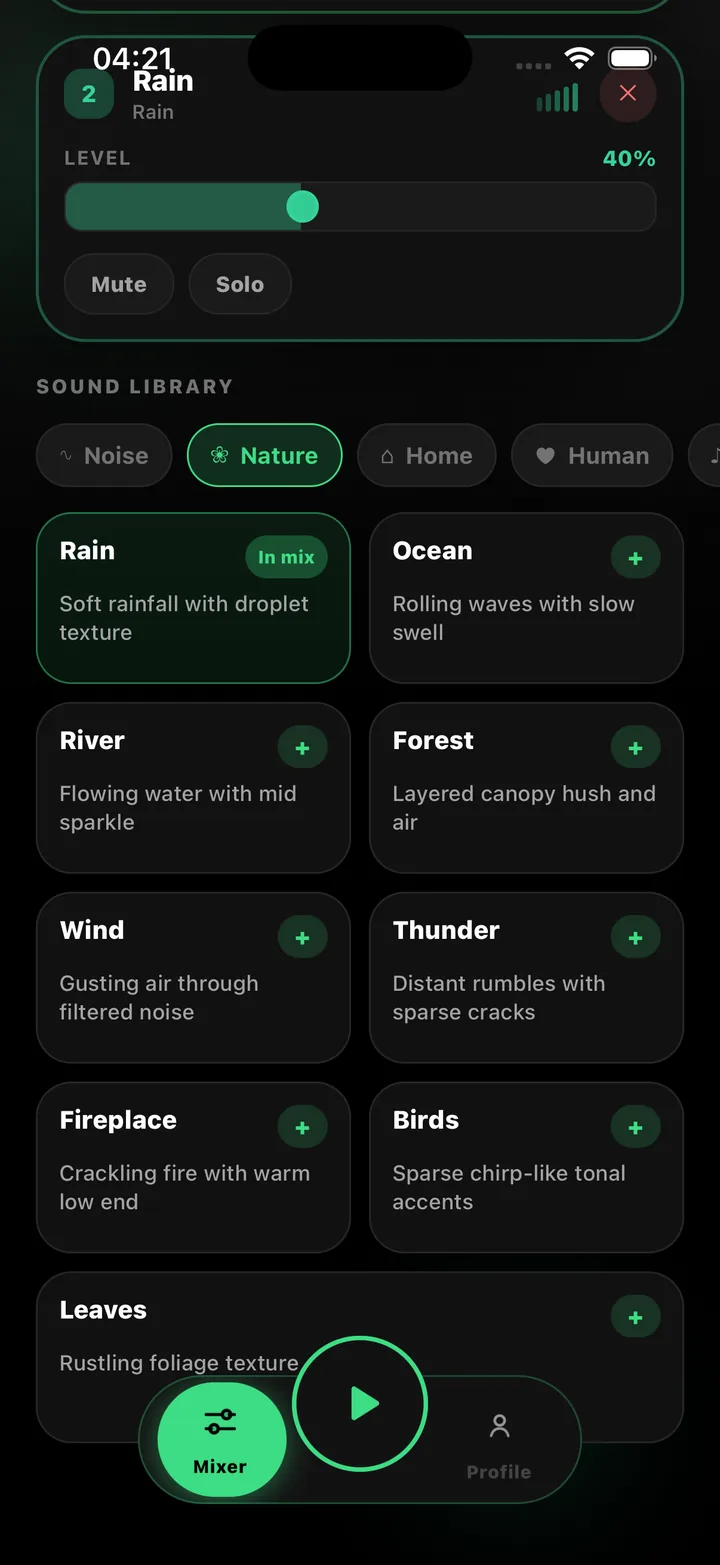
- Separate White, Brown, Pink and Green noise generators, plus rain, fan, AC, ocean, wind, thunder, fireplace and more
- A mixer: two layers free, four on Premium, each with level, mute and solo; saved favorites
- A sleep timer of 15 to 90 minutes or all day, with a soft fade-out rather than a hard stop
- Two-second soft start and controlled peak output on every play
- Shift profiles for fixed nights, rotating, early and on-call, with one-tap day-sleep and recovery-nap logging
- An AI sleep helper that suggests a mix and a wind-down routine from your rota (not medical advice)
- Procedural generation: no loops, small download, fully offline except the AI helper
Where the built-in option still wins
If you never want more than one sound, never nap on a timer, and do not care about logging, the built-in feature is simpler and free. ShiftSleep AI's free tier covers core sounds, a two-layer mixer, the timer and one profile; the full catalog, four layers and AI are a paid subscription through Apple or Google.
A fair summary
Built-in background sounds are a good general tool. ShiftSleep AI is a specific one — for people who sleep in daylight and need the room covered for hours without a seam, with a routine that survives a rotating rota. Try the built-in first if you have not; if you find yourself wanting a second layer, a fade or a profile, that is what this app is for.
ShiftSleep AI supports rest and routine with sound and simple logging. It is not medical advice and does not diagnose or treat sleep disorders. If your sleep problems persist, talk to a clinician.
Frequently asked questions
Can I use both?
Yes. They are independent. Most people settle on one to avoid two sounds competing.
Do ShiftSleep sounds keep playing under other audio?
ShiftSleep plays in the background and with the screen locked. Behaviour alongside other apps' audio depends on the platform's audio rules.
Is the comparison biased?
We make ShiftSleep, so read accordingly. We have tried to state what the built-in tools do well and when they are the better choice.