Make the routine portable, not the time
On a rotating rota you cannot keep a fixed bedtime, so anchor the routine to the order of steps instead: commute wind-down, blackout, sound, timer, log. Done in the same order at 8 a.m. after nights, at 10 p.m. before an early, and at 3 p.m. for a recovery nap, the sequence itself becomes the cue. The app helps here because the mix and the timer are one tap and never change.
One profile per pattern
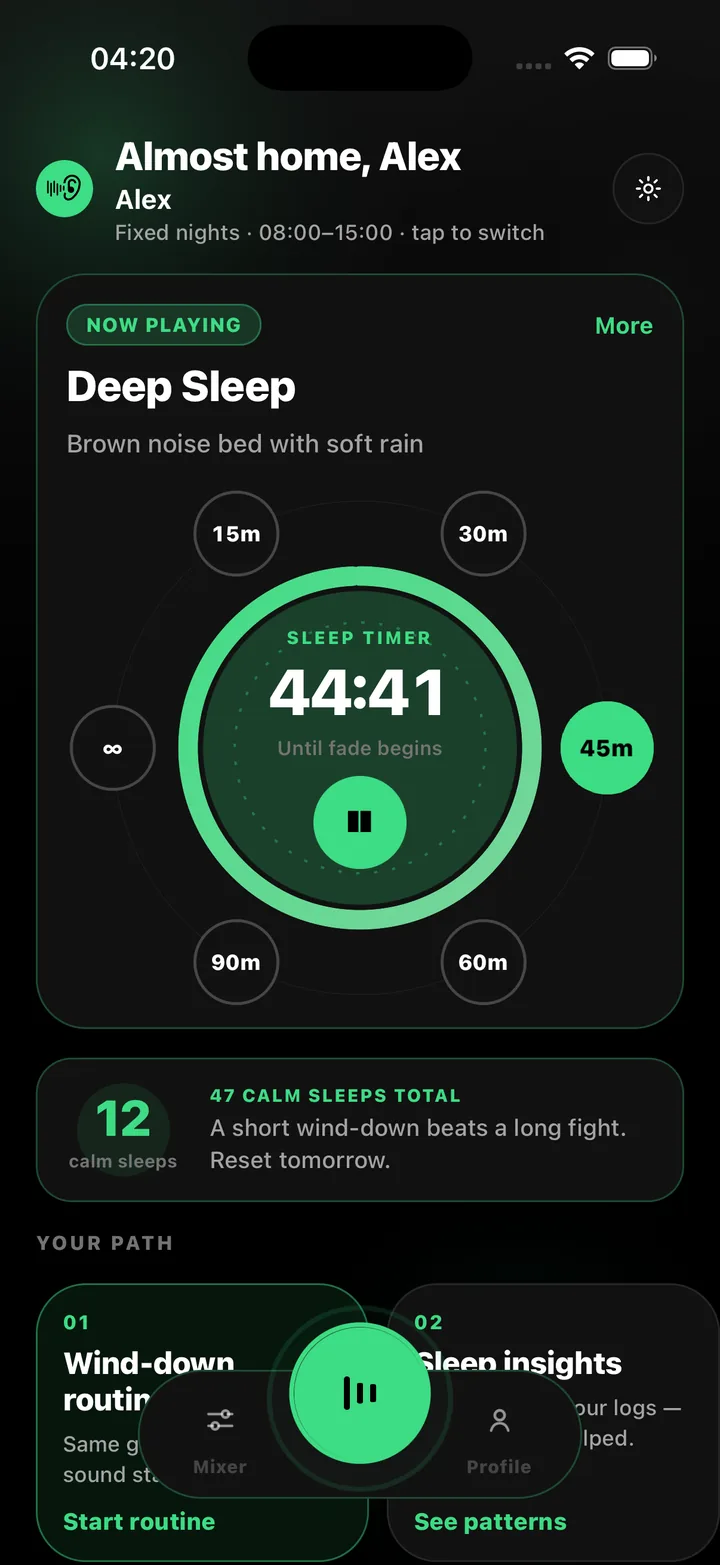
ShiftSleep AI shift profiles are built for this. Create one for each pattern you actually work — Fixed nights, Rotating, Early, On-call — each with its own usual sleep window. Switch the active profile from Home when the rota changes. Mixes, logs and reminders follow the active profile, so a night-week and a day-week do not blur together in your history.
- Fixed nights: one long day sleep, e.g. 08:00–15:00
- Rotating: switch profiles at each rota change; expect the first sleep after a flip to be shorter
- Early: often a short recovery nap after the shift — log it separately so day sleep stays visible
- On-call: fragmented sleep; short recovery naps plus one longer sleep still count — track both
Recovery naps are part of the plan
Between fragmented shifts a recovery nap is often what makes the next shift survivable. Treat it as a first-class event: same sound, a 30 or 45-minute timer with fade, and a one-tap log as a recovery nap rather than a day sleep. Insights in the app show recovery naps and day sleeps separately, so you can see how each pattern is really getting its rest.
Let the log tell you what to change
After a few rotations, look at the log by profile. Which windows held? Which collapsed, and on which days of the rota? That is where to adjust — an earlier wind-down before the first night, a nap before the first early. The AI helper can turn a description of your rota into a suggested wind-down; it is grounded in the sessions you logged and is not medical advice.
This guide is general information for shift workers, not medical advice. ShiftSleep AI does not diagnose or treat sleep disorders. If your sleep problems persist or you have symptoms such as breathing trouble during sleep, talk to a clinician.
Steps
- Create a profile for each pattern you work
In ShiftSleep AI add Fixed nights, Rotating, Early or On-call profiles as needed, each with its usual sleep window. One profile is free; Premium allows several.
- Fix the order of your wind-down
Decide the sequence once — for example commute calm, blackout, sound, timer, log — and follow it in that order whatever the clock says.
- Save one mix and use it every time
Build it in the mixer (Brown Noise and Rain is a good start) and save it. The same sound at every sleep becomes part of the cue.
- Switch profile when the rota flips
From Home, switch to the profile for the new pattern. Your sleep window, mixes and log move with it.
- Log day sleeps and recovery naps separately
One tap each. Keep them distinct so a week of short naps does not look like a week of full day sleeps.
- Review the log every rotation
Look for the windows that collapse and adjust the step before them. Ask the AI helper for a wind-down for the specific transition if you want a starting point.
Frequently asked questions
How do I flip from nights to days?
Common practice among shift workers is a shorter sleep after the last night and a recovery nap, then an earlier normal bedtime. The AI helper can suggest a wind-down for your specific rota; it is informational, not medical advice.
Can I have more than one shift profile?
The free tier includes one profile. Premium allows multiple profiles so each pattern keeps its own window, mixes and logs.
Do logs sync between my phone and tablet?
With an account, yes: profiles, logs, favorites and Premium sync across devices. Guest mode keeps everything on the device.