Why the same routine every time
After a night shift you are tired, wired and making decisions badly. The more of the wind-down that runs on autopilot, the less you have to think. The same order of steps, the same sound, the same timer — repeated — becomes a cue that it is time to sleep, even though it is broad daylight. Consistency beats cleverness here; a short, boring routine you always follow beats an elaborate one you skip.
Light, noise, schedule
Three things work against day sleep. Light: even dim daylight tells your body it is daytime, so blackout curtains or a sleep mask matter more than at night. Noise: mornings are loud and unpredictable; steady sound masks the spikes. Schedule: household, deliveries and phones assume you are awake. Tell people your sleep window, silence notifications, and treat the window like a shift.
- Sunglasses on the commute home if it is bright; keep the ride calm
- Blackout curtains or a mask; tape over LEDs
- Phone on do-not-disturb with your sleep window as the schedule
- Room cool; a fan or AC also adds steady noise
- A steady sound bed: brown noise for rumble, white for voices, or both
What to log
One tap for a day sleep, one for a recovery nap. Over a few weeks the log shows which sleep windows you actually protect and which keep collapsing — a rotating week, an on-call week, a run of earlies. That is the information you need to adjust the routine, and it is more useful than any generic advice. Insights in ShiftSleep AI are built only from sessions you logged.
When to get help
This guide is general information for shift workers, not medical advice. ShiftSleep AI does not diagnose or treat sleep disorders. If your sleep problems persist or you have symptoms such as breathing trouble during sleep, talk to a clinician.
The routine, step by step
In ShiftSleep AI most of this is one tap after the first setup.
- Set up a shift profile once
Choose fixed nights, rotating, early or on-call and enter your usual sleep window, for example 08:00 to 15:00. Home will show the window and the wake-up that goes with it.
- Start the wind-down on the way home
Eat something light if you need to, dim screens, and decide now that the next hour is for sleep. If you use the AI helper, ask it for a wind-down routine for your rota and keep the one it gives you.
- Black out the room and silence the phone
Curtains or mask, LEDs covered, do-not-disturb scheduled for the sleep window. Put the phone at a distance, not under the pillow.
- Tap Deep Sleep or your saved mix
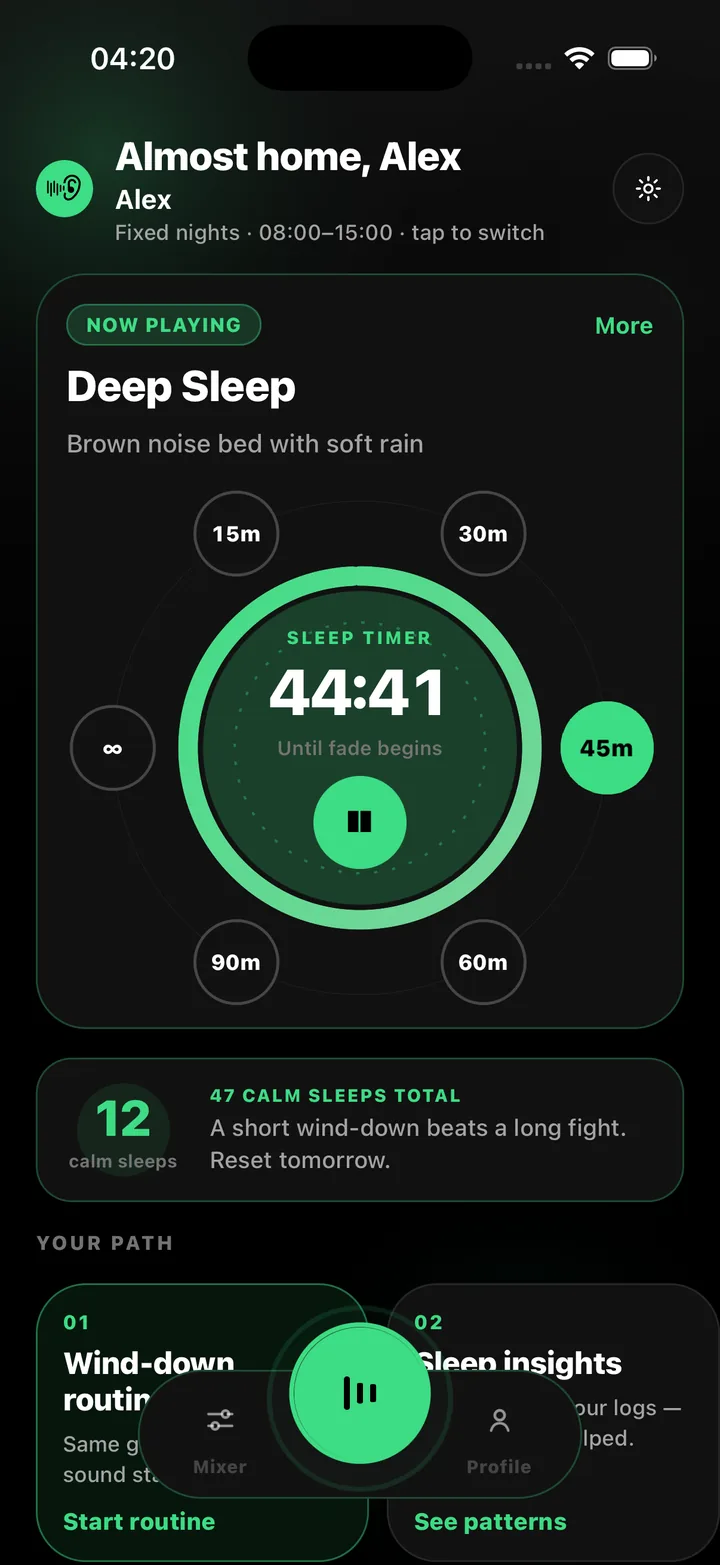
Deep Sleep is brown noise with soft rain — low cover for daytime rumble. If voices come through the wall, add White Noise as a second layer in the mixer. Set the room level so it is clearly audible but not loud.
- Set the timer to fade
Pick 45 or 60 minutes if you only need sound to fall asleep, or all day if the street stays loud. The sound fades out gently instead of cutting off.
- Log the sleep
Tap Start day sleep as you lie down, and end it when you wake. Over time the log shows which windows work and which ones keep collapsing.
Frequently asked questions
How long should I sleep after a night shift?
That varies by person and rota, and this guide does not give medical guidance on sleep duration. What the app does is make whatever window you choose repeatable and visible, so you can see how it is actually going.
Should I nap before a night shift?
Many shift workers log a recovery nap before the first night of a run. ShiftSleep AI logs recovery naps separately from day sleeps so you can see how they fit your pattern.
Is it bad to sleep with noise on all day?
Keep the volume moderate and the phone at a distance. The app soft-starts and caps peak output. If you have concerns about hearing or sleep, speak to a clinician.